Netboard.me for Teachers: Two Classroom Spaces You Can Explore
Explore Netboard.me through two classroom examples: an interactive Ancient Egypt resource hub and a collaborative climate project for students.
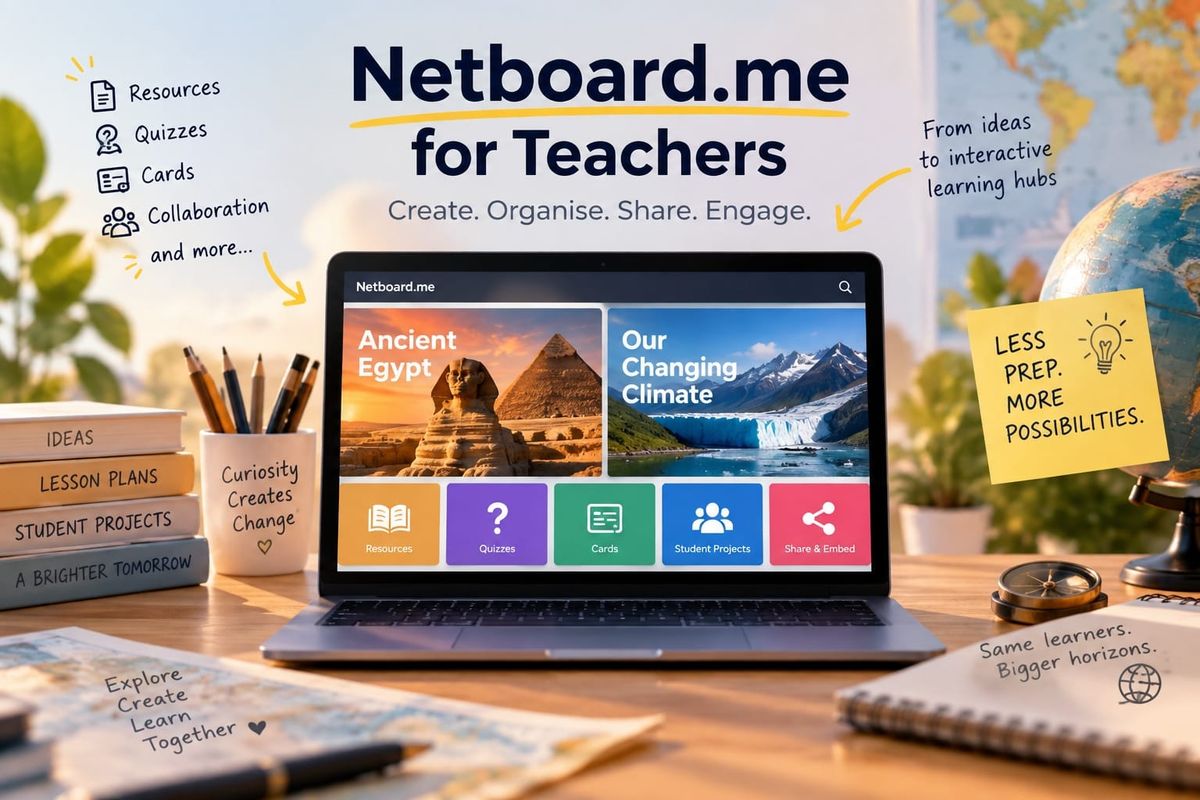
Sponsored by Netboard.me. The examples, observations and opinions are my own.
Teachers rarely have a shortage of digital resources.
The harder part is putting them somewhere students can actually use them.
A video might be on YouTube, instructions in a document, a useful website somewhere else, and a quiz in yet another tool. Even when every individual resource is good, the result can be a collection of links scattered across different places.
Monica Burns wrote about Netboard.me on Class Tech Tips, using it to build interactive learning pages that combine resources, games and quizzes in one structured space.
I wanted to explore what that could look like with something more substantial than a simple collection of links, so I built two very different examples: a classroom resource hub and a collaborative student project.
In short: Netboard.me lets teachers build multi-tab classroom spaces that combine resources, embeds, quizzes and games. The first example is a teacher-led Ancient Egypt unit. The second is a collaborative climate project. Both are linked below so you can explore them yourself.
In this article
- Two Netboard.me examples you can explore
- What is Netboard.me?
- Student collaboration
- Moodle and Microsoft Teams
- Limitations
- Pricing
- FAQ
Two Netboard.me Examples You Can Explore
1. Ancient Egypt: An Interactive Classroom Resource Hub
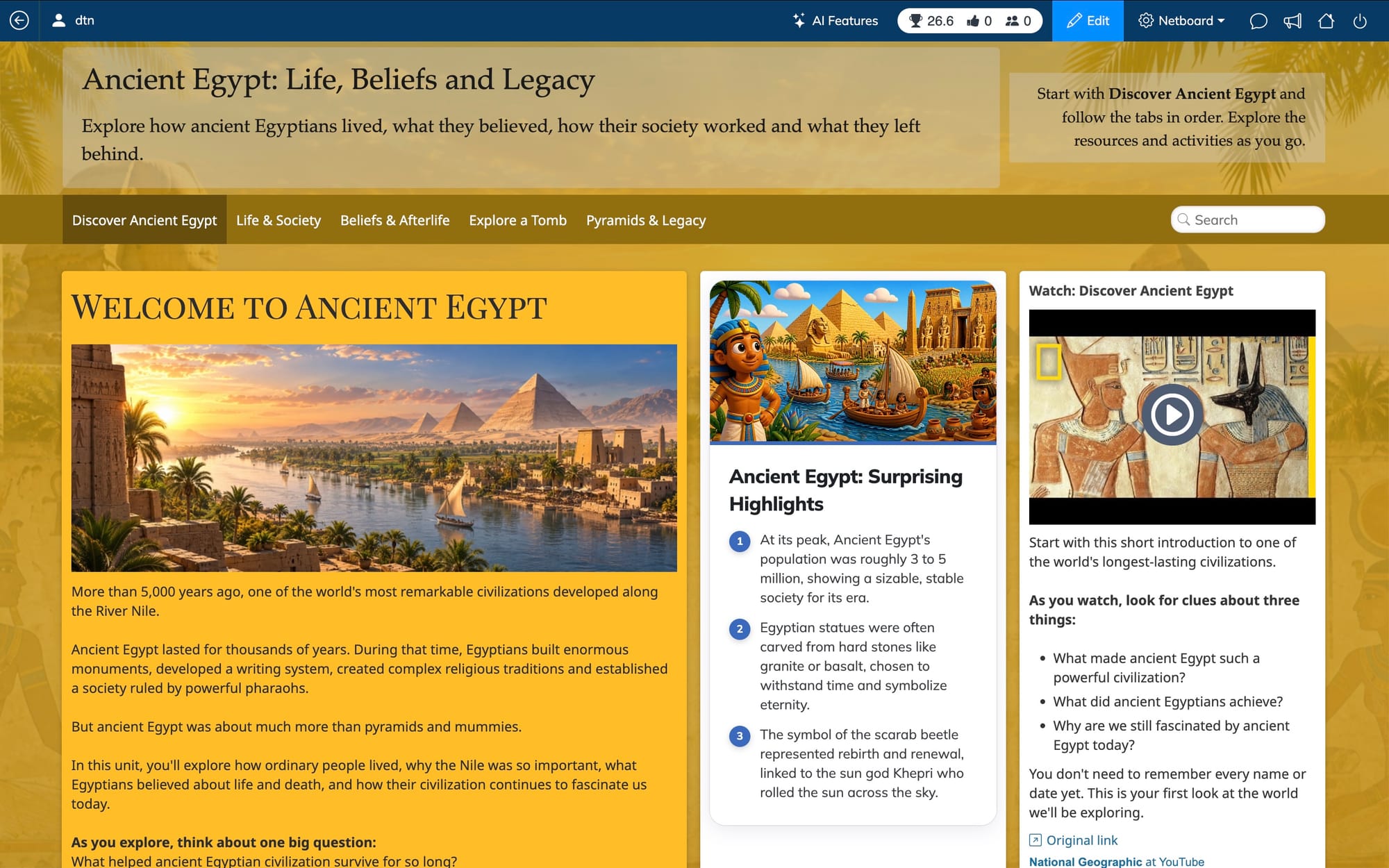
For the first example, I built Ancient Egypt: Life, Beliefs and Legacy.
The idea was simple: could an entire topic live in one place without sending students to a different page every few minutes?
I ended up with five tabs covering an introduction to Ancient Egypt, life and society, beliefs and the afterlife, a virtual tomb, and pyramids and legacy.
Inside them are text, images, videos, PDFs, external sources, learning cards, flashcards, games and quizzes.
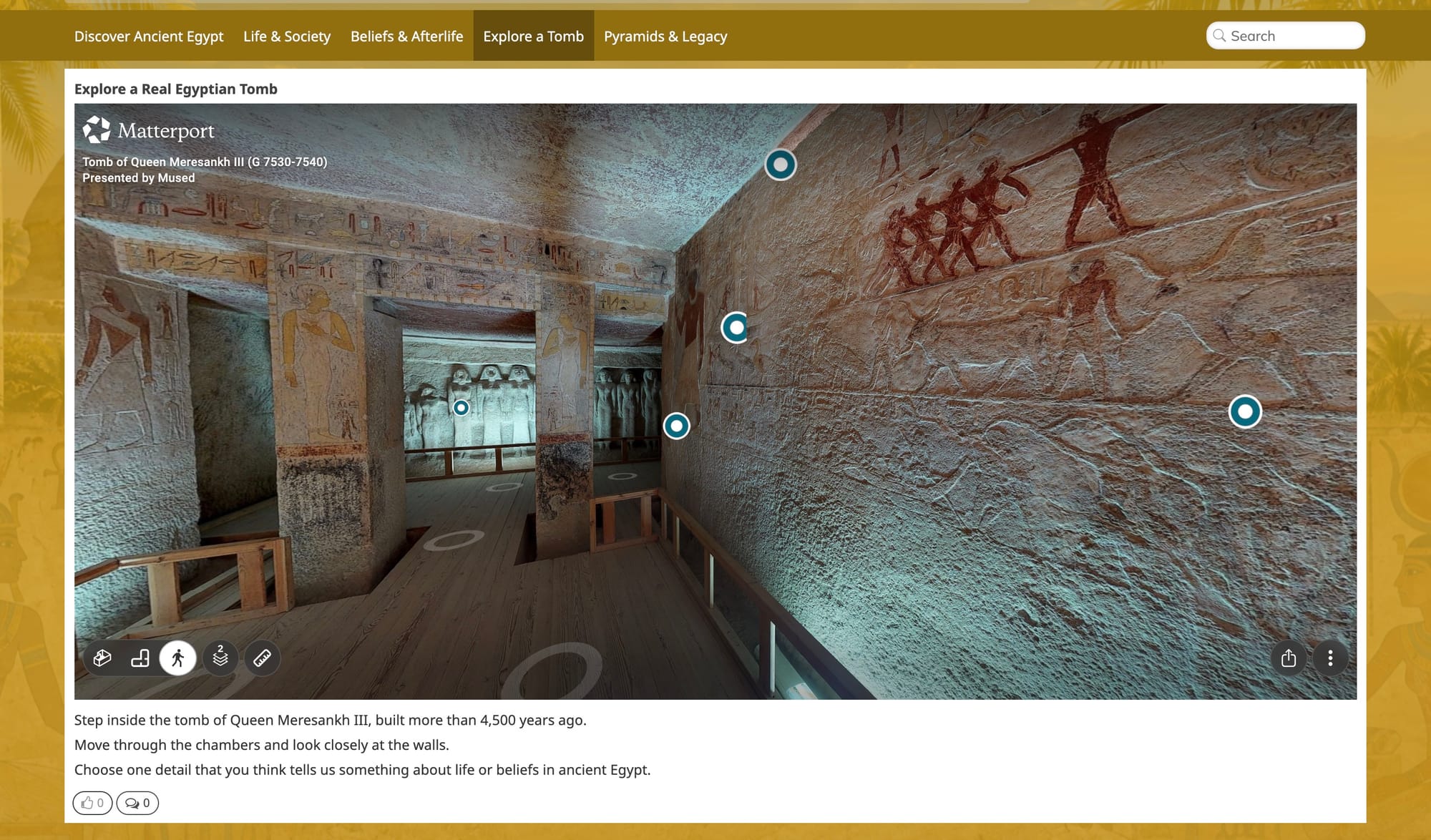
A couple of things went further than I originally planned. One is a 360° tour of the 4,500-year-old tomb of Queen Meresankh III. It worked inside a column, but the view was small enough that a student would need to maximize it, and that wasn't obvious. Giving it a full-width tab of its own worked much better. It became a small virtual field trip inside the unit. I also embedded an Egyptian sculpture that students can rotate and examine as a 3D object.
Open the Ancient Egypt classroom resource hub →
2. Our Changing Planet: A Collaborative Climate Project
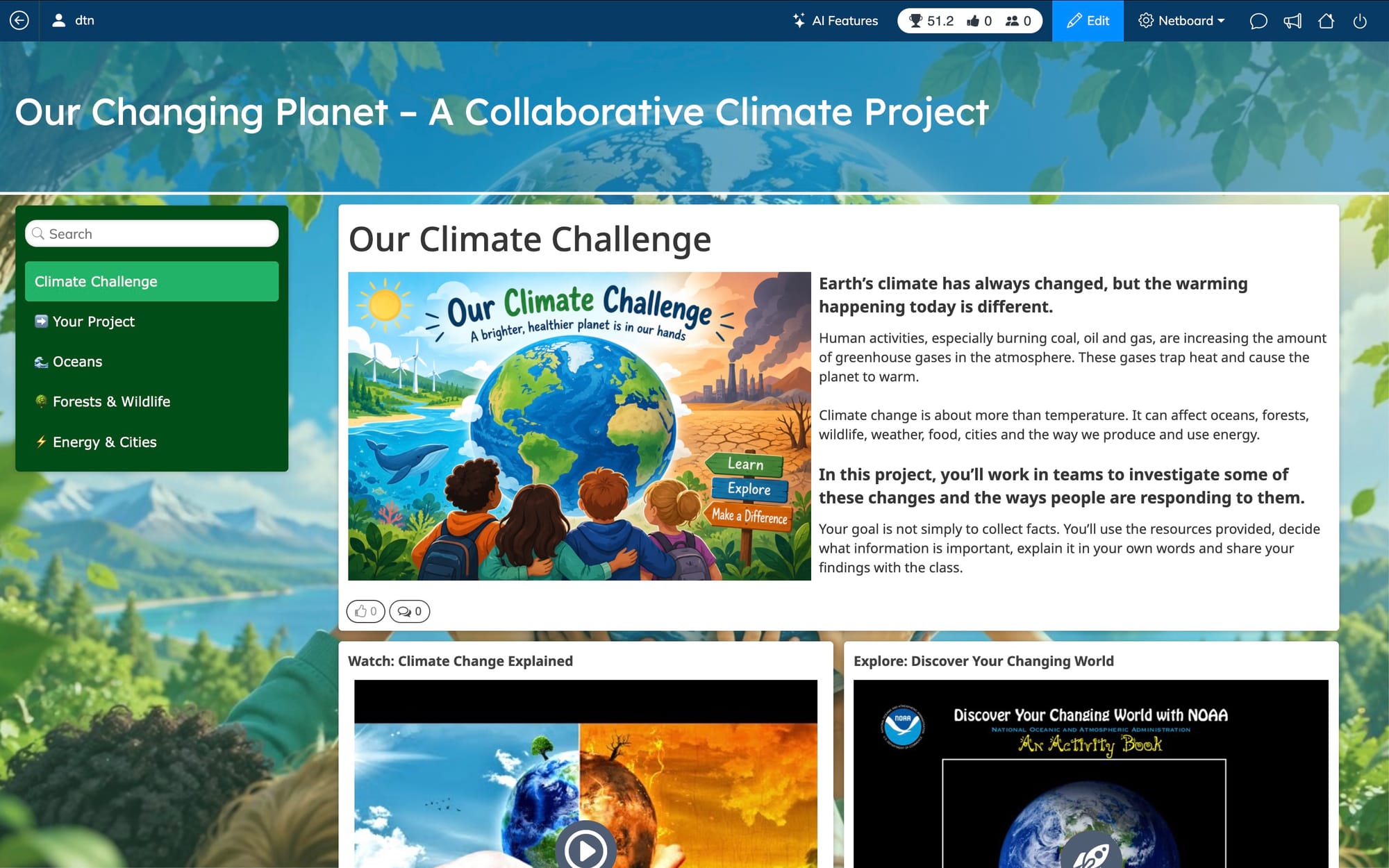
For the second board, I deliberately built something different.
Our Changing Planet is a framework for a collaborative student project.
The teacher sets up the project and provides trusted starting sources. Students work in groups investigating Oceans, Forests & Wildlife, and Energy & Cities.
Each group gets the same workspace: Sources, Key Findings, Evidence & Examples, Conclusions and Our Activity.
The difference between the two examples is easy to summarize:
Ancient Egypt: Learn and practise here.
Climate Project: Research and build this with us.
Open the Our Changing Planet student project board →
A note about these demo links
I'm sharing Access Links rather than ordinary public links. The owner of a netboard can decide what someone arriving through a particular link is allowed to do.
I've configured these links so you can try the interactive parts, including taking the quizzes and, where enabled, contributing to the board.
Open the boards as an ordinary public visitor and you can still explore the public content, but you won't automatically get those permissions. On these demos, for example, public visitors can't submit the quizzes.
So, What Is Netboard.me?
Netboard.me is a web-based platform where teachers and students build structured, interactive learning pages, called netboards, that combine resources, embedded content, quizzes and learning games in one place.
A netboard can be a simple page of resources, an interactive lesson page, a multi-tab unit, a classroom hub, a collaborative project space or a student-created project.
You can add text, links, documents, images, video, audio and embedded web resources, then organize them into tabs, sections and different layouts. Quizzes, games and learning cards can sit alongside the resources.
The two boards I built use essentially the same building blocks. Their structures ended up looking very different.
How to Organize Classroom Resources in Netboard.me
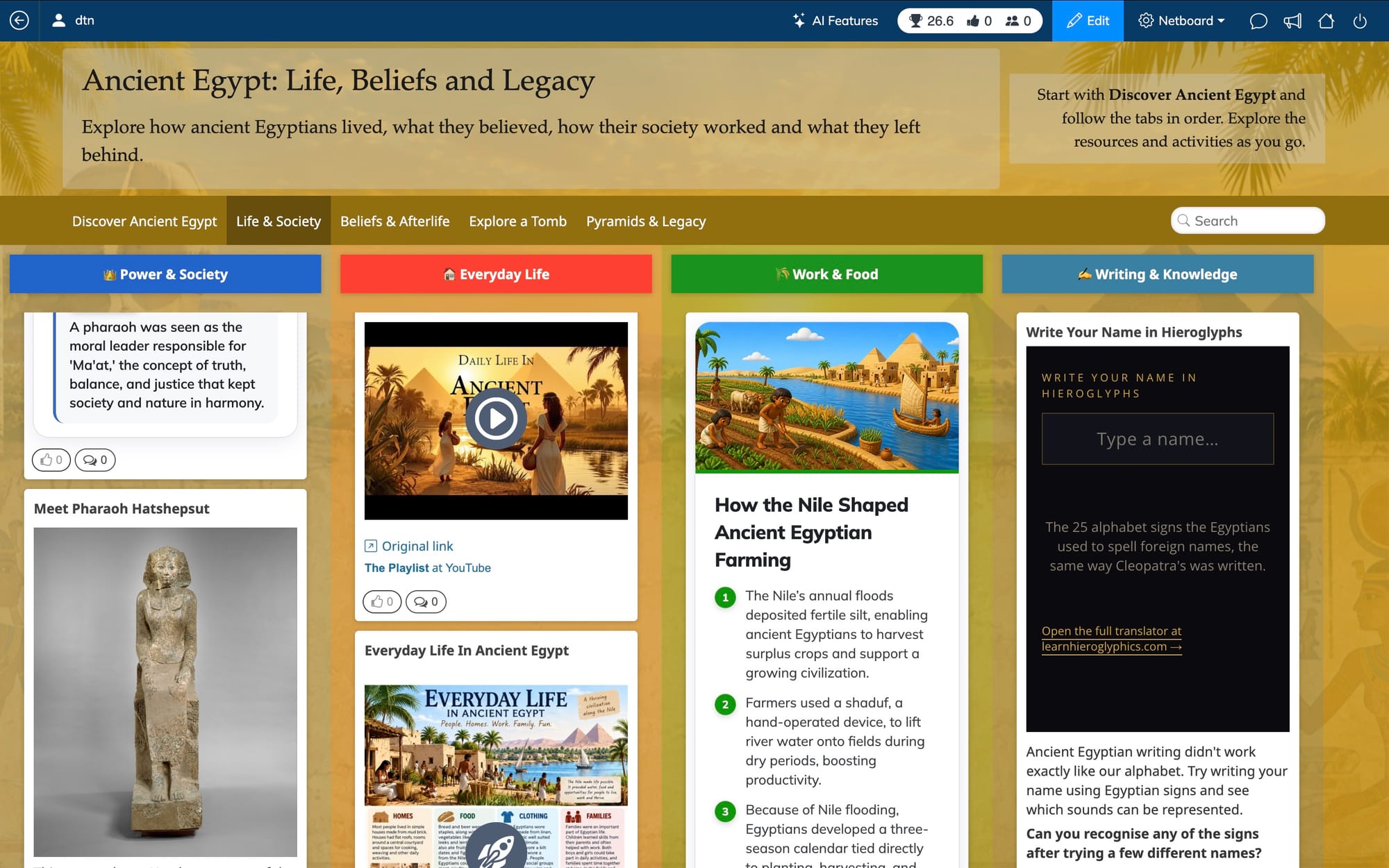
This was one of the parts I spent more time experimenting with.
On the Ancient Egypt board, the Life & Society tab ended up with four columns:
- Power & Society
- Everyday Life
- Work & Food
- Writing & Knowledge
Four worked well there because the topics were parallel and the columns filled the screen nicely.
I used different layouts elsewhere. Beliefs & Afterlife has three wider lanes, Discover Ancient Egypt reads more like a normal learning page, and the 360° tomb has its own tab.
The Climate board presented a different problem.
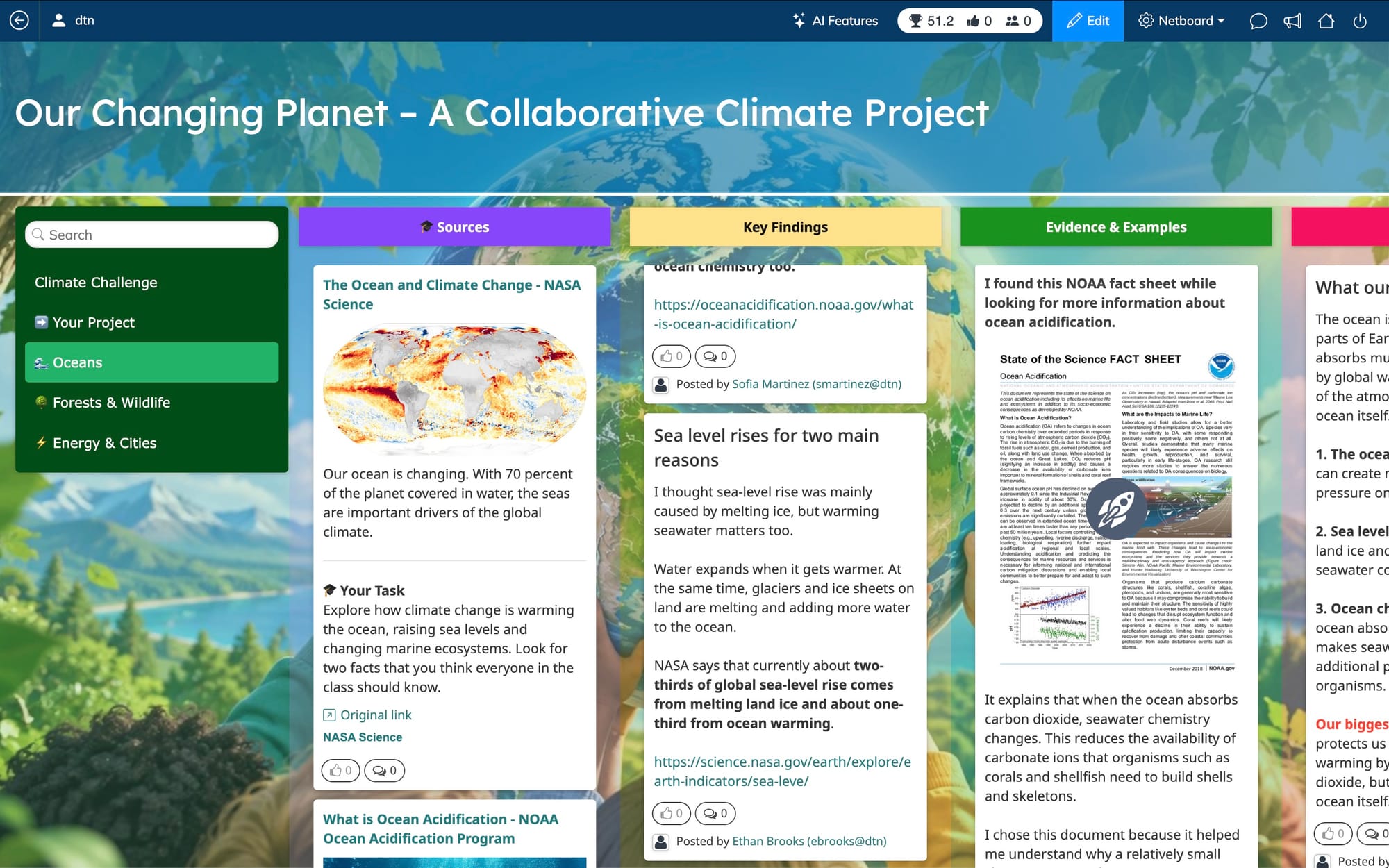
Three student groups are investigating different topics, but I wanted them to work in the same way. So each group follows the same structure: sources first, then findings, evidence, conclusions and an activity.
I built the first group's sections, then rebuilt them by hand for the second. Partway through the third I found Copy structure in the tab menu, which does this in one click.
Sharing Digital Resources With Students on One Page
A single netboard can mix classroom materials such as text, links, images, PDFs, video and audio with embedded websites and interactive activities.
On the Egypt board, for example, a student might read a short introduction, watch a video, examine a map, open a museum resource and then complete a quick quiz.
Embedding became especially useful with the more unusual resources. I placed the 3D Egyptian sculpture directly on the board so students can rotate it there, and did the same with the 360° tomb tour.
Student Collaboration: Can Students Contribute to a Netboard?
The Climate board is where the collaboration side becomes much more visible.
I created the overall structure and the starting resources, but the student groups have their own places to add findings, evidence, conclusions and activities.
Students can contribute through an Access Link without creating an account, or they can create their own free personal accounts. On paid plans, teachers can instead use managed student accounts, organize students into classes and groups, and control those accounts.
A board can also have co-authors. Several teachers or other invited collaborators can work on the same netboard and manage its content together.
Students can create their own boards for research, projects and presentations too.
A teacher can build for students, build with them, or let students build their own. For the Climate example, I chose the middle option.
Netboard.me Quizzes, Learning Games and Interactive Content
Bring in Activities From Other Platforms
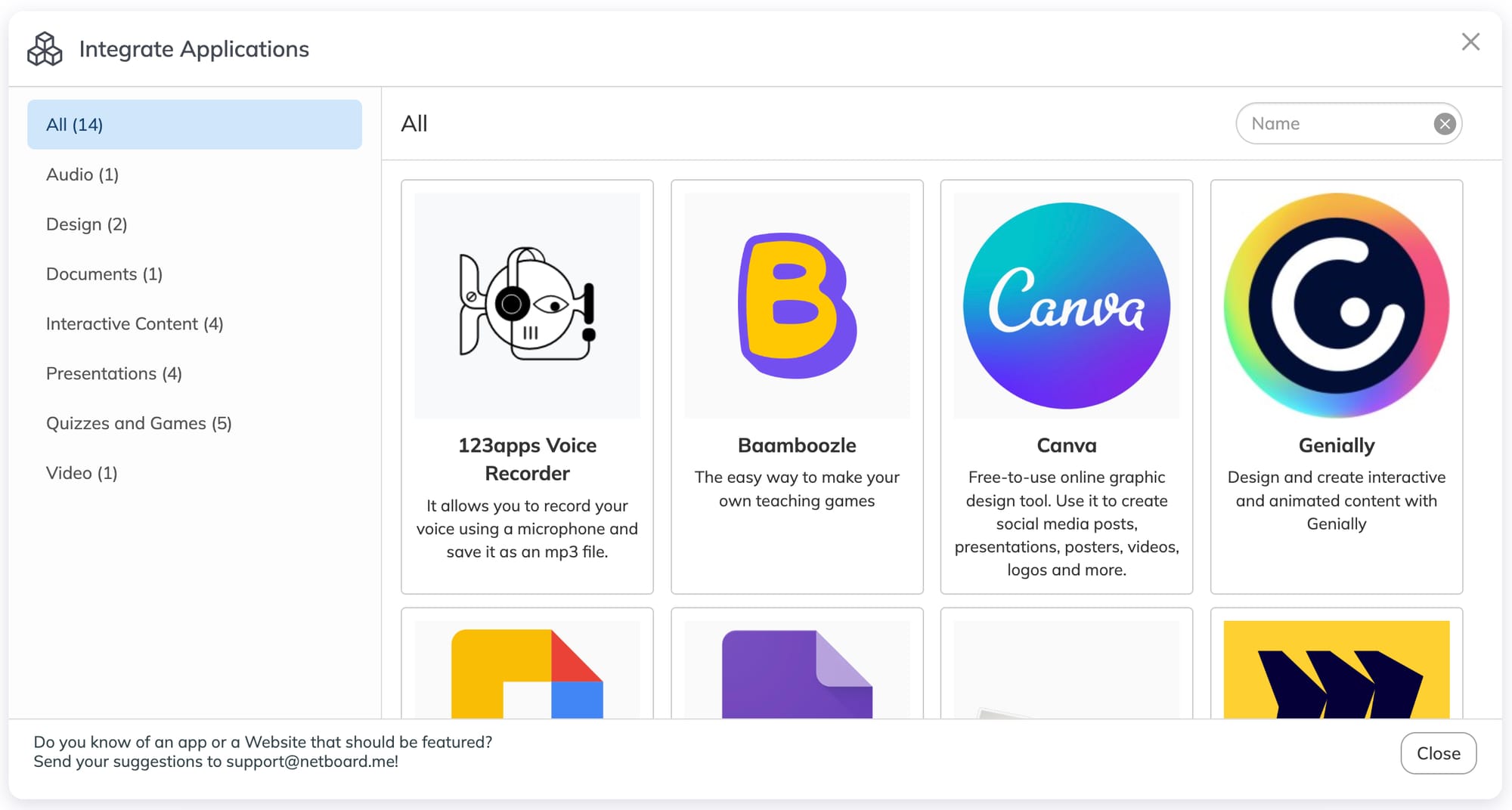
Teachers can embed Canva, Genially or Wordwall activities, along with content from other embeddable services.
Activities created elsewhere can sit on the same page as instructions, source material and other resources.
Netboard.me also has its own activities: quizzes, learning games and cards.
Quizzes
Quizzes support different question types, including open questions, and can be placed directly inside a board.
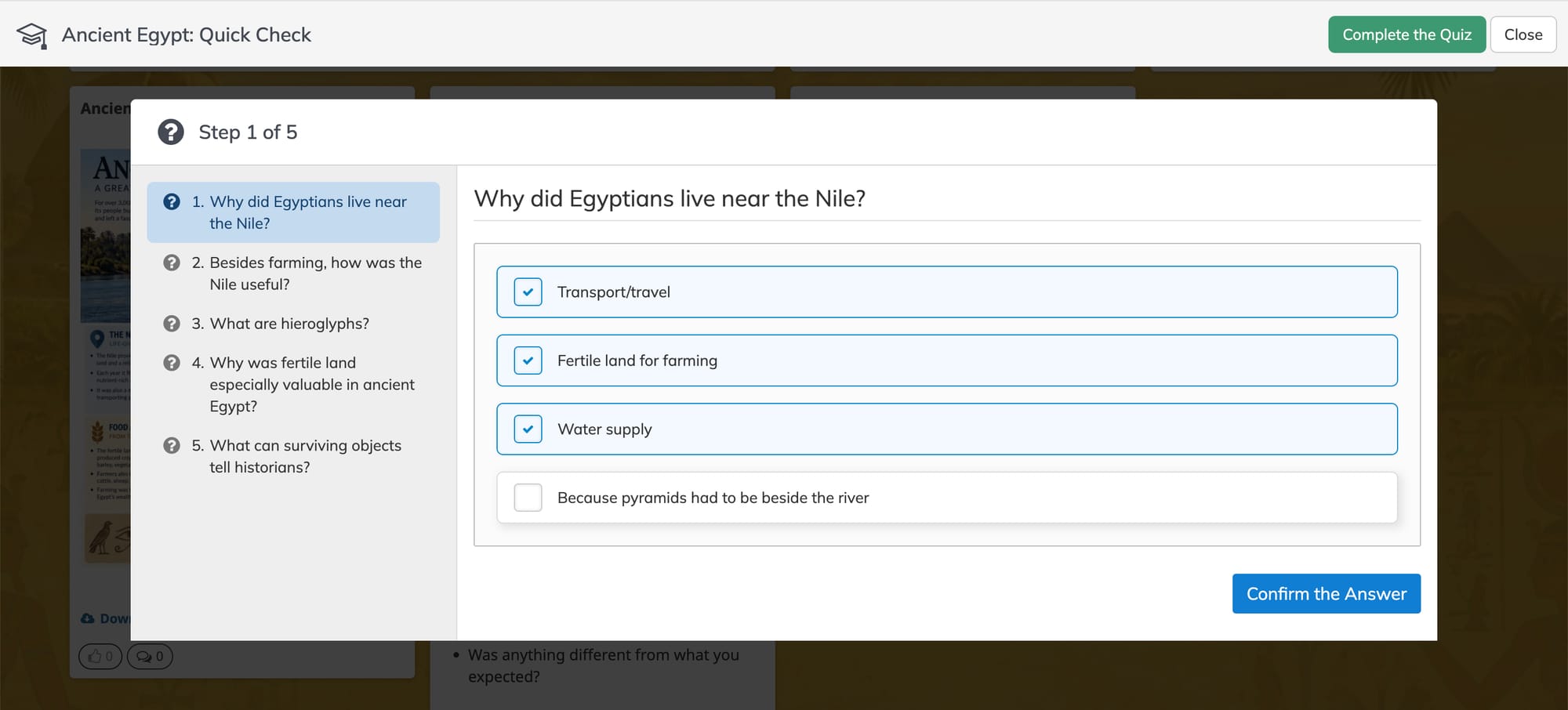
I used a short Ancient Egypt: Quick Check after the introductory resources rather than making the quiz a separate destination.
Learning Games
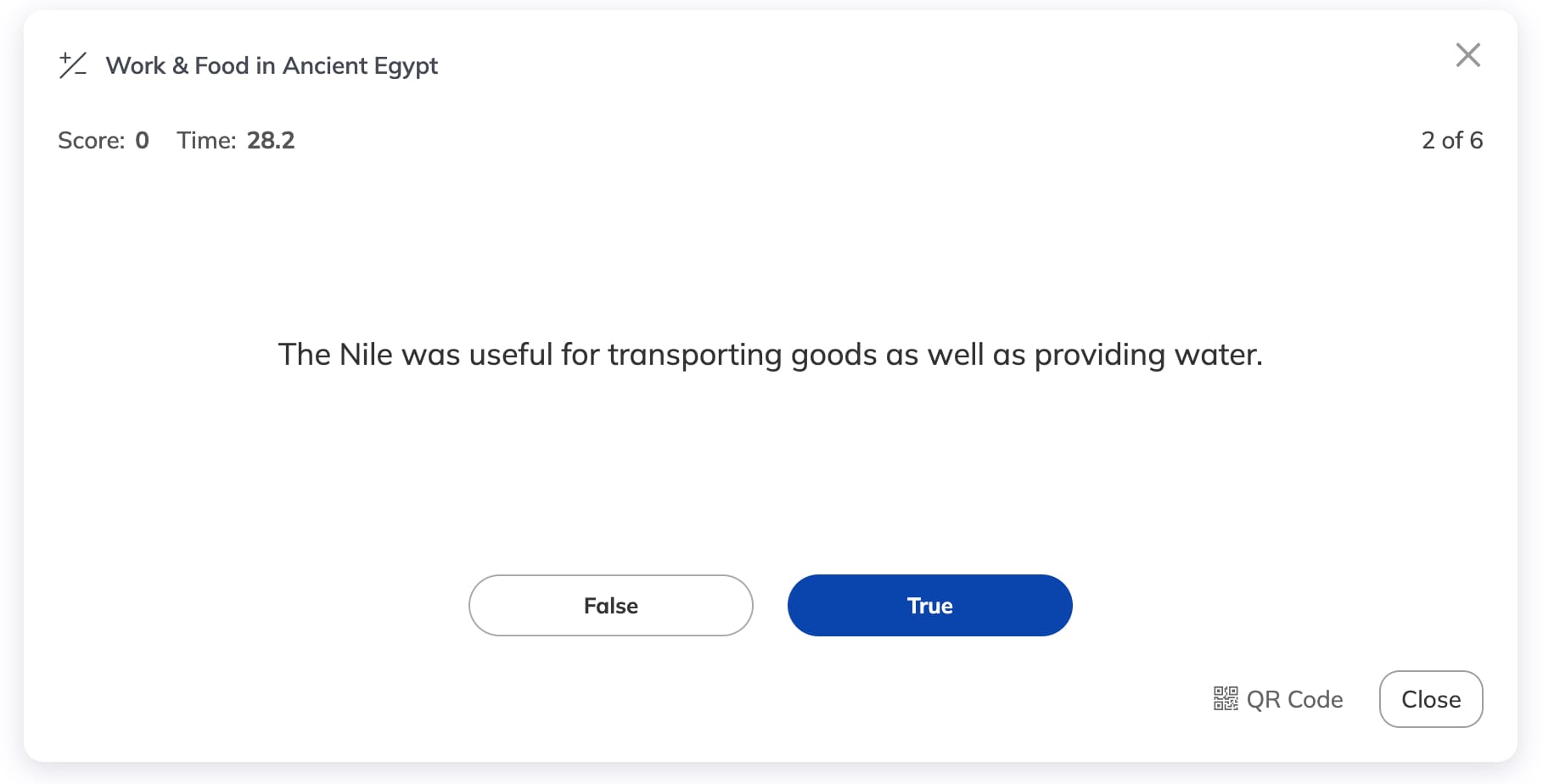
For shorter activities, there are learning games such as flashcards and True/False.
On the Egypt board I used a True/False activity in the Work & Food section and flashcards for Pyramids & Legacy.
Learning Cards
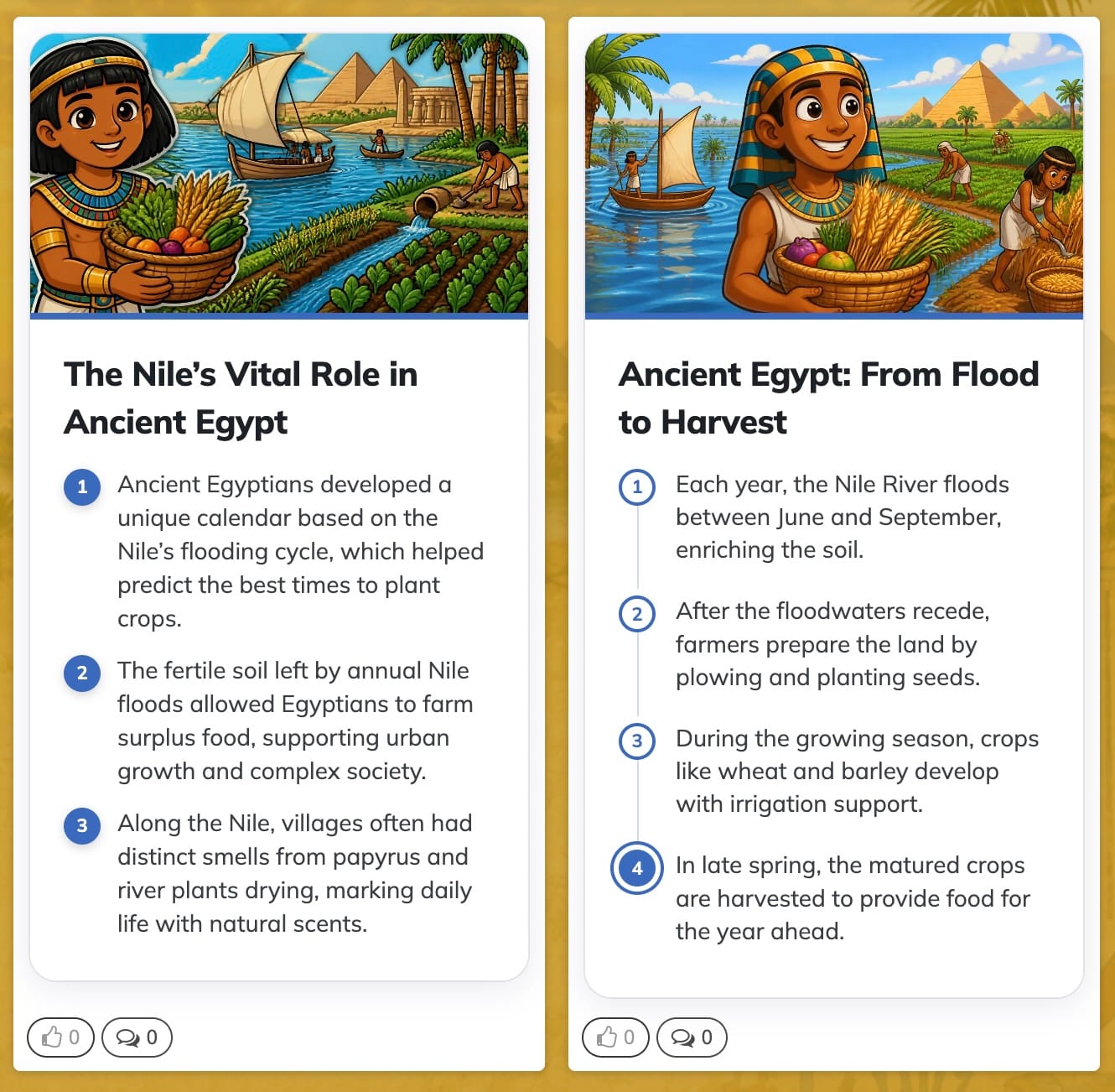
Cards are compact visual pieces of content for facts, comparisons and step-by-step explanations.
I used them throughout the Egypt board: three quick facts about Ancient Egypt, the role of the pharaoh, farming along the Nile, and a step-by-step explanation of the journey from flood to harvest.
Quizzes and cards can also be generated with AI, although both can be created manually.
Can Netboard.me Work With Moodle and Microsoft Teams?
Yes. Netboard.me can fit into digital environments schools are already using.
Netboard.me supports LTI 1.3 integration with Moodle and other compatible learning management systems, allowing a netboard to be used as an interactive resource or project space inside an existing course.
It also has a Microsoft Teams app, so a board can be added as a Teams tab.
Netboard.me Sharing Options: Public, Private and Access Links
Boards can be public or restricted, while Access Links can grant specific permissions. That's the mechanism I'm using for the two examples at the beginning of this article.
A public visitor can explore the content. Someone arriving through the appropriate Access Link can also be allowed to take quizzes or contribute.
There is another small feature I found useful while preparing the demos: individual posts, sections and even entire tabs can be hidden.
I could work on part of a board without showing it before it was ready, then make it visible later.
What I Ended Up With
I started with the same tool and ended up with two classroom spaces that don't have much in common visually or pedagogically.
The Ancient Egypt board became a fairly complete learning resource. It moves between explanations, museum sources, video, PDFs, a map, cards, games, quizzes, a 3D object and a virtual tomb.
Most of the work on the Egypt board was finding and checking good sources. Arranging them on the board was the smaller part.
The Climate board puts more of the work in students' hands. Its structure gives each group somewhere to collect sources, record findings, present evidence and build an activity.
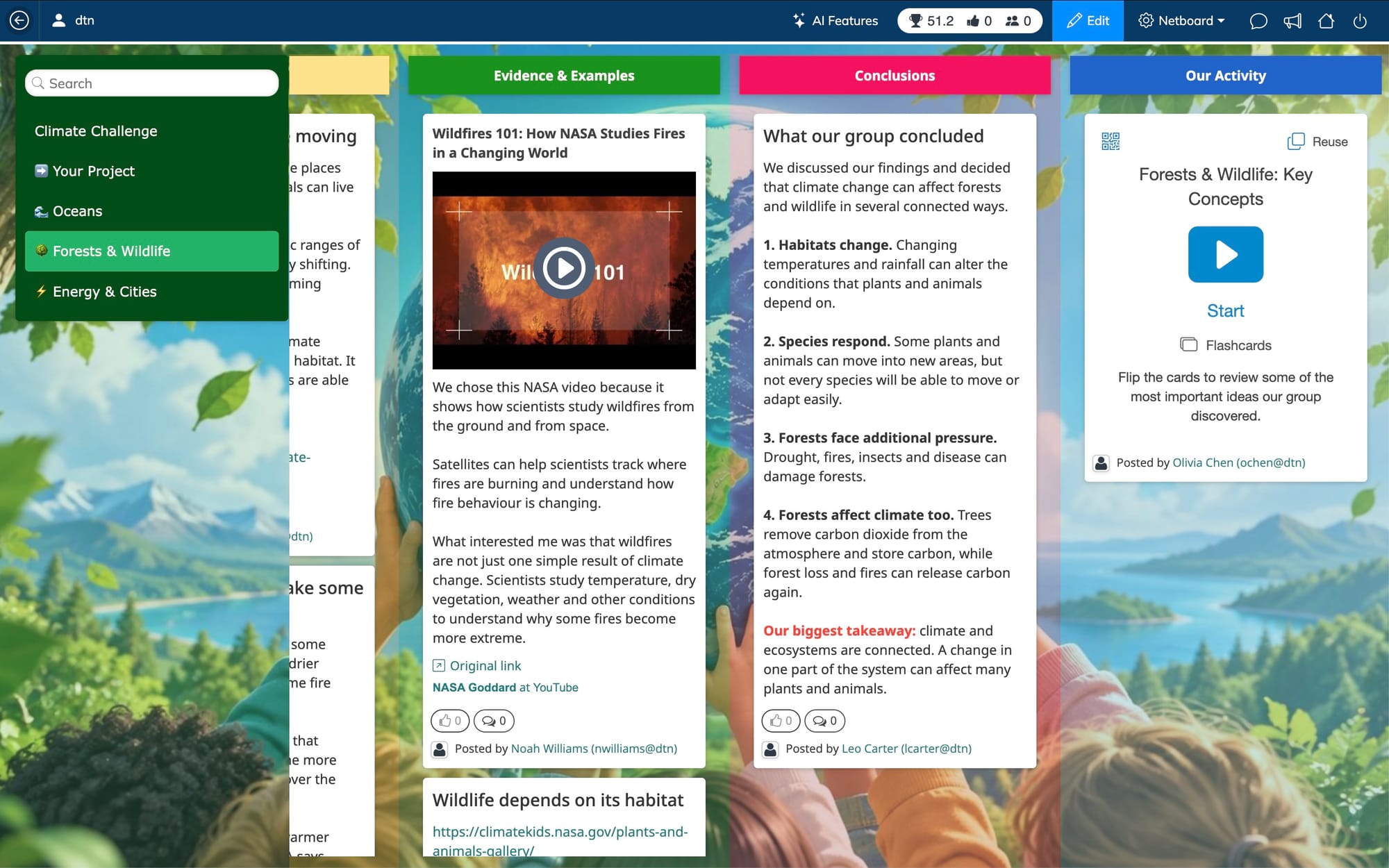
In one board the tabs create the sequence of a learning unit. In the other they divide up a collaborative project.
Netboard.me Limitations: What I'd Flag
- There's no native mobile app. I expected that to be a problem and it mostly wasn't: both boards behaved well in a phone browser, with columns stacking into a single scroll. The 360° tomb is still better on a bigger screen.
- Copy structure is useful when several tabs need the same layout, but it's easy to miss in the tab menu.
- Collaboration itself works on the free plan, through Access Links or students' own free accounts. What you don't get for free is management: teacher-controlled student accounts, classes and groups are paid only. For a whole class across a term, I'd want the paid version.
How Much Does Netboard.me Cost?
Pricing checked September 2026.
Netboard.me has a free plan as well as paid individual and institutional plans.
The Free plan includes unlimited netboards, unlimited learning games and learning cards, up to three privately shared netboards, and up to five AI-created cards per month. One quiz is available for testing. Managed student accounts, including classes and groups, and the broader AI tools aren't included on the Free plan.
Premium Personal currently starts at $4.59 per month and includes unlimited quizzes and private sharing, AI tools, video and audio uploads, and up to 40 managed student accounts.
There is also an institutional Premium plan with pricing based on the number of teacher and student accounts.
Check the current plans for the latest details.
Who Is Netboard.me For?
Good fit: teachers building a unit or resource page, collaborative group research projects, and schools using Moodle or Microsoft Teams.
Less of a fit: anyone who needs a native mobile app or a full LMS with a gradebook.
Netboard.me FAQ
What is Netboard.me used for?
Netboard.me is used to build structured learning pages that bring resources, embedded content, quizzes and learning games together. Teachers can use Netboard.me for resource pages, multi-tab units and collaborative student projects.
Is Netboard.me free?
Yes. Netboard.me has a free plan with unlimited netboards, learning games and cards. One quiz is available for testing, while features such as managed student accounts and broader AI tools require a paid plan.
Does Netboard.me work with Moodle?
Yes. Netboard.me supports LTI 1.3 integration with Moodle and other compatible learning management systems. A netboard can be used as an interactive resource or project space within a course.
Does Netboard.me work with Microsoft Teams?
Yes. Netboard.me has a Microsoft Teams app. A netboard can be added as a tab inside Teams.
Can students edit a board?
Yes, if the teacher allows it. Students can contribute through an Access Link without an account or with their own free account. Managed student accounts, classes and groups require a paid plan.
Can students use Netboard.me without an account?
Yes. Students can contribute to a Netboard.me board without an account when the teacher provides an Access Link with the appropriate permissions. Students can also create their own free personal accounts.
Can Netboard.me create quizzes and cards with AI?
Yes. Netboard.me can generate quizzes and cards with AI, and both can also be created manually. The Free plan includes up to five AI-created cards per month; the broader AI tools are part of the paid plans.
Is there a Netboard.me mobile app?
There is no native Netboard.me mobile app. I used both demo boards in a phone browser, where the layouts adapted to the smaller screen.
Two Boards to Explore
The quickest way to judge it is to open both and click around.
Ancient Egypt: Life, Beliefs and Legacy
A teacher-created learning and resource hub.
Our Changing Planet
A collaborative project for student groups.